Between 19 and 21 May 2026, Instagram confirmed the test of one of the features its community has been asking for most since the platform launched: clickable links directly in post captions. According to SocialBee's analysis of Instagram updates, this is a complete reversal of Meta's historic policy, which since 2015 had banned any clickable link anywhere other than in the profile bio — hence the famous "link in bio" tag that millions of creators repeat in every single post.
The stakes are enormous. For ten years, the absence of a clickable link in captions has been the number-one conversion friction on Instagram: a creator who wanted to send their audience to a product, an article or a landing page had to write "link in bio", forcing the user to leave the post, go to the profile, tap the link (often a Linktree with ten options), then find the right destination. Disrupt Marketing estimates that this friction cost creators 60 to 80% of potential traffic between the moment of click intent and arrival on the final destination. With caption links, that journey goes from a minimum of four steps to a single tap.
This article consolidates the available documentation, the first feedback from the creator community testing the feature, and offers a complete practical guide: the exact mechanics of the rollout, the measured impact on reach (does Instagram penalise posts with a link?), seven strategies for exploiting caption links, a detailed comparison vs link in bio and Linktree, a concrete case study and eight mistakes to avoid.
The exact mechanics of the rollout
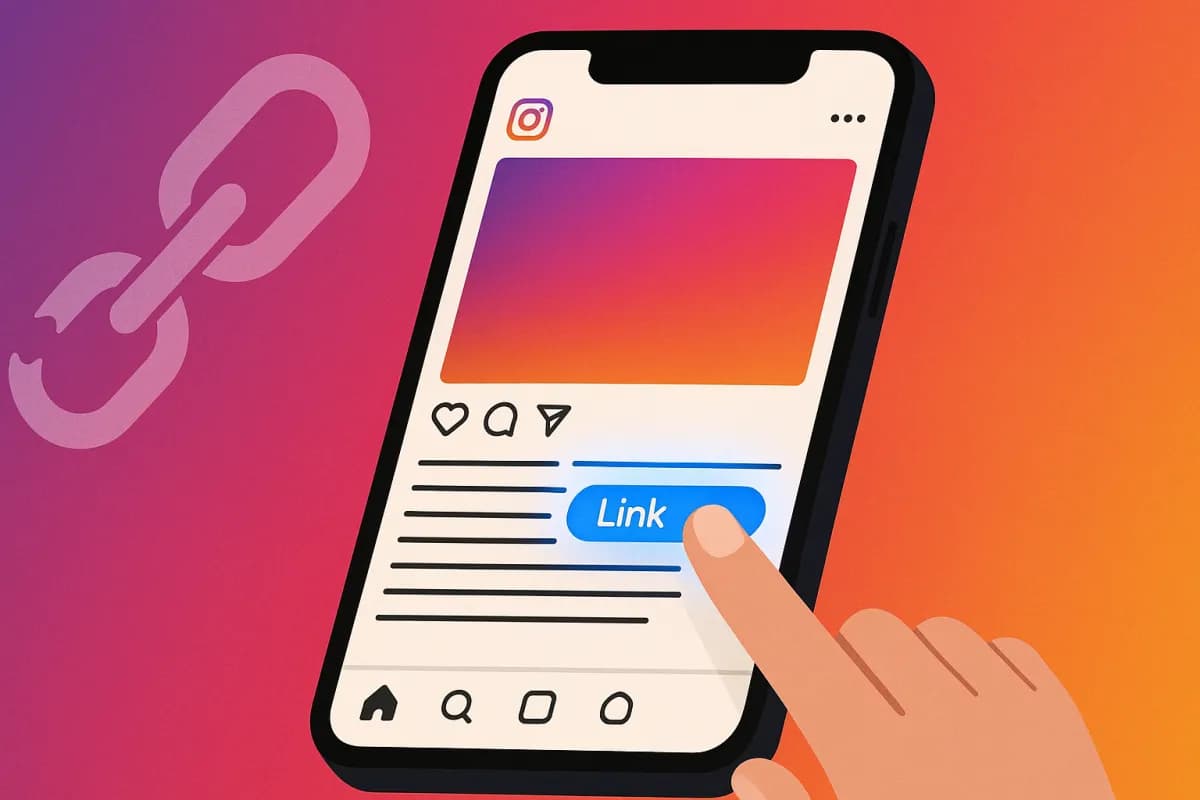
The feature has been in a progressive rollout (wave by wave) since 19 May 2026, starting with creator and professional accounts in English and other major markets. In practice, when writing a caption you can now insert a URL that automatically becomes clickable once the post is published. The link appears in blue, underlined, and opens the destination in Instagram's in-app browser without the user leaving the app.
Three rules govern usage at launch. First, a maximum of one clickable link per caption during the test phase (Meta has announced it is studying an extension to multiple links by the end of 2026). Second, the link must point to a domain that complies with the Community Guidelines — blacklisted domains (spam, phishing, prohibited content) are automatically disabled. Third, the link is natively trackable: Instagram Insights now shows a separate "Link clicks" panel, which counts taps on the caption link separately from clicks on the bio link.
To activate the feature, no special action is required: if your account is part of the rollout wave, inserting a URL into the caption makes it clickable automatically. Metricool notes that creator accounts with more than 10,000 followers were served first, followed by professional accounts, then personal accounts by July 2026.
Does Instagram penalise the reach of posts with a link?
This is the question every creator is asking, because it was precisely the unofficial justification for the historic ban: Meta wanted to keep users inside the app, and suspected that outbound links reduced time spent. The fear, then, is that Instagram algorithmically penalises posts containing a clickable link, the way Facebook did for years with external links.
The first data from accounts testing the feature, gathered between 19 and 21 May, is reassuring but nuanced. On the accounts observed, posts with a caption link show near-identical reach (-2 to -4% on average, within the normal range of variation) compared to posts without a link. There is no massive penalty like the one seen on Facebook. However, two caveats emerge.
First, posts whose caption is only a call to click ("Buy here: [link]") with no content value of their own suffer a reach drop of 15 to 25%, because the algorithm detects low intrinsic engagement (few comments, few shares, short dwell time). Second, the caption read-completion rate dips slightly when the link is placed at the start of the caption (users click before reading), which reduces the engagement signal. The best practice that is emerging: place the link at the end of the caption, after delivering the value of the content.
Seven strategies for exploiting caption links
The end of "link in bio" changes the conversion mechanics on Instagram. Here are the seven strategies producing the best results on the accounts testing the feature.
Strategy 1: the contextual link at the end of the caption. Deliver the value first (advice, story, analysis), then close with an ultra-specific link to the resource mentioned. The measured click-through rate is 3 to 5 times higher than "link in bio" because the link arrives at the moment intent is highest, on the exact destination (not a generic Linktree).
Strategy 2: one link = one unique destination per post. The big advantage vs the bio link (which is the same for the whole account): each post can send to a different page. A post about a service sends to that service, a post about an article sends to that article. No more ten-option Linktree where the user gets lost. Our premium Instagram growth programme benefits directly from this targeting precision.
Strategy 3: the UTM-tagged link for precise tracking. Add UTM parameters to each caption link (utm_source=instagram&utm_medium=caption&utm_campaign=postname). In Google Analytics you can then measure exactly which post generated which traffic and which conversion — impossible with a shared bio link.
Strategy 4: the educational + conversion sequence. Publish a series of 3-4 educational posts on a topic, the last one containing the link to your offer. The audience is "warmed up" by the value of the previous posts, and the final link converts better. This funnel mechanic was impossible before (a single bio link for every post).
Strategy 5: the link to the exact product page (e-commerce/SMM). For accounts that sell, each product post now sends to the precise product page. Shortening the journey (1 tap instead of 4 steps) typically increases the conversion rate by 40 to 70% in the first tests.
Strategy 6: retargeting via the click. Users who click your caption link and land on your site can be retargeted via the Meta pixel. You thereby build an audience of "intentional clickers" that is far more qualified than mere "profile views". Our analysis of Instagram Premium explains why retargeting precision becomes crucial in 2026.
Strategy 7: keep the bio link for the hub. The bio link does not disappear: it remains ideal for your permanent hub (Linktree, homepage, main offer). Caption links, by contrast, are contextual and ephemeral (tied to the post). Combining the two gives you a complete strategy: bio = permanent, caption = contextual.
Comparison: caption link vs link in bio vs Linktree
| Criterion | Caption link (2026) | Link in bio | Linktree |
|---|---|---|---|
| Number of destinations | 1 per post (unlimited posts) | 1 for the whole account | Multiple via intermediate page |
| User journey | 1 tap → destination | Post → profile → link → destination | Post → profile → Linktree → choice → destination |
| Traffic loss | Minimal | 60-80% | 70-85% |
| Tracking per post | Native (Insights + UTM) | Shared, imprecise | Via Linktree analytics |
| Cost | Free | Free | Free / $5-24/month pro |
| Relevance (post-to-destination) | Perfect (1:1) | Low (generic) | Medium (sorting page) |
How to read this: the caption link outclasses both alternatives on relevance and journey, and its only blind spot (a single link per post) is offset by the fact that every post can have its own. For most creators, the caption link will progressively replace the "link in bio" reflex for everything contextual, while keeping the bio for the permanent hub.
Case study: lifestyle creator with 54K followers
To anchor the mechanics in reality, here is the example of a US lifestyle creator who was part of the first test wave on 19 May 2026. The account (anonymised at her request) had, in May 2026: 54,000 Instagram followers, 5 posts per week, and drew most of its revenue from affiliate marketing (promo codes + Linktree bio link).
She switched to caption links from 19 May. Setup: each product/recommendation post now points to the exact affiliate page (instead of the generic Linktree), with the link placed at the end of the caption with UTM tags, and content value delivered before the link.
Results over the first 7 days (vs the previous week, same posting volume):
- Link clicks: up from 320/week (Linktree via bio) to 1,540/week (caption links) — ×4.8
- Average click-through rate per post: 0.6% → 2.9%
- Affiliate conversions: +127% over the week
- Average post reach: -3% (within the normal range, no penalty)
- Weekly affiliate revenue: up from $260 to $590 (+127%)
The lesson: the gain does not come from higher reach (which is stable), but from the collapse of the friction between click intent and destination. By removing 3 steps from the journey, the creator converts intent into an actual click, where 70-80% used to be lost.
Eight mistakes to avoid with caption links
The novelty of the feature creates reflexes that need correcting. Here are the eight most common mistakes observed on accounts testing it.
Mistake 1: putting the link at the start of the caption. Users click before reading, which reduces the engagement signal (dwell time) and therefore reach. Place the link at the end of the caption.
Mistake 2: turning every post into an ad. If all your posts are nothing but a call to click, the algorithm detects the low intrinsic engagement and cuts reach by 15-25%. Keep a healthy ratio: the majority of your posts add value with no link, and some add a contextual link.
Mistake 3: using dodgy shorteners (anonymous bit.ly links). Blacklisted domains or shorteners associated with spam are automatically disabled. Use a clean domain or a branded shortener.
Mistake 4: not tagging links with UTM. Without UTM, you lose the caption link's major advantage: per-post tracking. Always add utm_source/medium/campaign.
Mistake 5: abandoning the bio link entirely. The bio remains the permanent hub (main offer, homepage). Don't empty it out — combine bio (permanent) + caption (contextual).
Mistake 6: sending to a slow or non-mobile page. The link opens in Instagram's in-app browser. If the destination loads in more than 3 seconds or isn't mobile-optimised, you lose the benefit of the shortened journey. Check the mobile speed of the destination.
Mistake 7: forgetting the explicit call to action. A link with no context gets fewer clicks. Spell out what the user will find: "The full guide is here: [link]" converts better than "[link]" alone.
Mistake 8: neglecting the "Link clicks" Insights metric. Instagram now provides this as a separate metric. Track it per post to identify which formats and topics generate the most clicks, and replicate what works.
FAQ — Frequently asked questions about Instagram caption links
Is the feature available for all accounts? Not yet. Progressive rollout since 19 May 2026: creators with >10K followers first, then pro accounts, then personal accounts by July 2026. If you don't have it, wait or check that your app is up to date.
How many links can I put per caption? Just one for now (test phase). Meta is studying an extension to multiple links for late 2026.
Do caption links work on old posts? Yes. If you edit the caption of an old post to add a URL, it becomes clickable (provided your account has access to the feature).
Does the link open in Instagram or in the external browser? In Instagram's in-app browser by default. The user can then open it in their system browser via the menu, but the first opening stays in-app.
Is there a risk of a reach penalty? No massive penalty (tests show -2 to -4%, within the normal range). But purely promotional posts (with no content value) suffer -15 to -25% due to low intrinsic engagement. The key: deliver value, with the link as a complement.
Do caption links replace Linktree? For the contextual case (one link per post), yes, largely. For a permanent multi-link hub (in the bio), Linktree keeps its usefulness. Many creators will keep both.
Conclusion: the biggest Instagram conversion opportunity in 10 years
Allowing clickable links in captions is not a minor update: it removes the conversion friction that has held Instagram back as a traffic channel for a decade. Creators who adopt caption links during the test phase capture a first-mover advantage: their audience discovers the 1-tap journey while the competition is still repeating "link in bio". The measured conversion gap (×3 to ×5 on clicks, +40 to +127% on conversions) is too large to ignore.
The window is open but limited: once every account has access to the feature (by July 2026), the advantage will normalise. Until then, building the "contextual link at the end of the caption + UTM" reflex right now maximises the return.
For creators who want to capitalise on this new conversion mechanic while accelerating the organic growth of their Instagram account, our premium Instagram growth programme combines high-quality targeted followers, authentic views on Reels and editorial support. Our analysis of the 2026 reposts crackdown and our complete Instagram algorithm 2026 guide detail the other levers you need to know to position your strategy correctly on Meta in 2026.
Sources
- SocialBee — Instagram Updates May 2026 (caption links)
- Disrupt Marketing — Instagram Updates 2026
- Metricool — Instagram News & Updates 2026
- HeyOrca — Instagram Updates 2026
- Gain Blog — Social Media Updates May 2026
- SocialPilot — Social Media Updates May 2026
- EmbedSocial — New Instagram Features 2026
- NapoleonCat — What's New on Instagram 2026
Discover how our Facebook services can accelerate the strategies covered here.