Instagram Just Had One of Its Biggest Feature Months in Years
If you've felt like Instagram has been moving faster than usual lately, you're not imagining it. April 2026 has delivered a wave of genuinely useful updates — the kind that change how you actually create, not just how the interface looks. From long-overdue quality-of-life fixes like comment editing to genuinely novel tools like a built-in Reels teleprompter, this month's lineup is worth paying close attention to.
Adam Mosseri, Instagram's head, has been vocal about the platform's focus on creators — and these updates are the proof. In a recent broadcast channel message, he framed the spring roadmap as "tools that remove friction between a creator's idea and their audience." That philosophy comes through clearly in what's actually shipped.
This article walks through all eight new features in detail: what they do, how they work, who they help most, and what they mean for your growth strategy. Whether you're a full-time creator, a brand account manager, or someone building an audience from scratch, there's something here that applies directly to how you work.
And if you're thinking about accelerating that audience growth while you adopt these new tools, it's worth noting that a stronger baseline — in followers, likes, or Reels views — makes every one of these features more powerful. Buying Instagram followers gives your account the social proof it needs for the algorithm to take your new content seriously from day one.
1. Comment Editing — Finally, a 15-Minute Window to Fix Typos
It sounds simple, but Instagram users have been asking for this for years. As of April 2026, you can now edit a comment within 15 minutes of posting it. The fix applies to both your own comments and replies, and once a comment has been edited, a small "edited" label appears below the text so other users know it was modified. There's no version history — nobody can tap through to see what you originally wrote — just the label indicating a change was made.
The 15-minute window is deliberate. Instagram isn't turning comments into infinitely editable posts; it's giving you just enough time to catch the autocorrect disaster you didn't notice until two seconds after you hit send. According to TechBriefly's April coverage, the feature supports multiple edits within that window — so you can correct, reconsider, and correct again, as long as you're within the 15-minute cutoff.
For creators, this matters more than it might seem. Comment sections are part of your brand voice. A typo-riddled reply to a fan question, or a poorly-worded response to a critical comment, can undermine the professional image you've spent months building. Now you can catch those mistakes before they become permanent.
The "edited" label is a transparent compromise — Instagram clearly doesn't want editing to become a tool for retroactively changing the meaning of inflammatory comments after the damage is done. That's a reasonable guard, and it's consistent with how platforms like Twitter/X have handled similar features. As StorifyNews notes, the feature rolls out globally and works on both iOS and Android — there's no hardware requirement, just the latest app update.
2. Built-In Teleprompter for Reels — Script While You Film
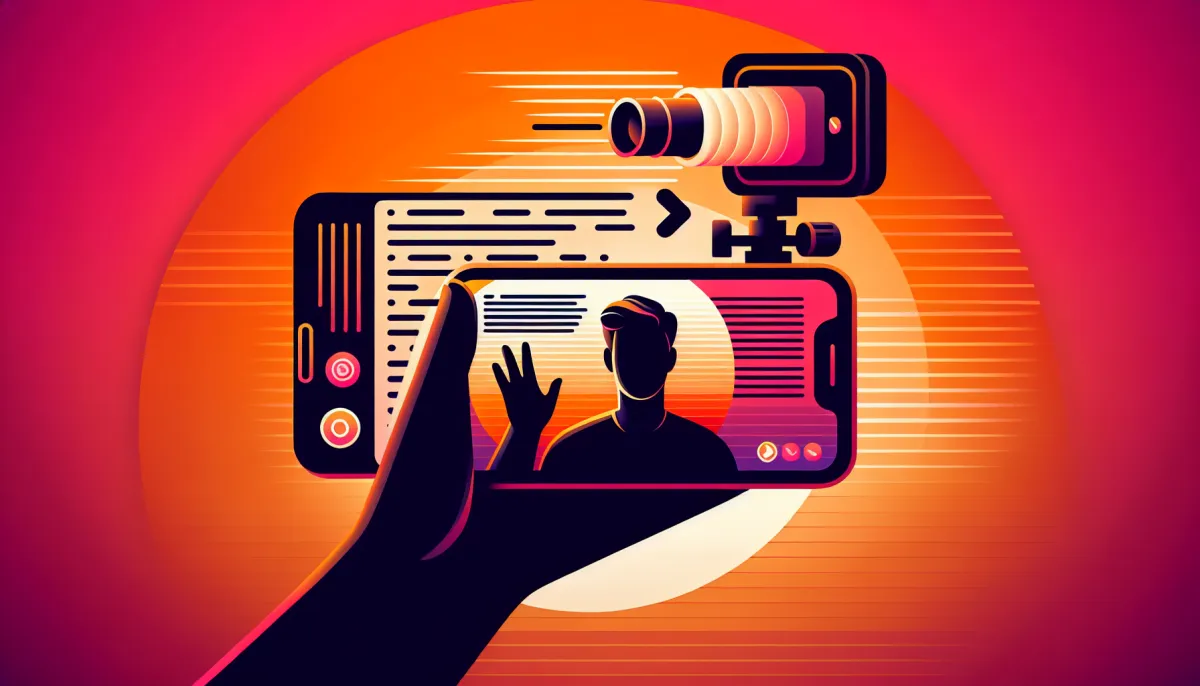
This is the one that's generating the most excitement in creator communities, and for good reason. Instagram has added a native teleprompter directly into the Reels camera. When you enable it, your script scrolls smoothly below the front-facing camera view while you're filming. You control the scroll speed and the text size, so whether you speak slowly and deliberately or tend to rush through content, you can dial in a pace that matches your natural delivery.
The feature is also available in the Instagram Edits app — Meta's dedicated video creation tool — which means you can use it both during filming and when prepping more polished productions. Metricool's breakdown of the Edits teleprompter notes that the scrolling text stays within the camera frame view, so you maintain natural eye contact with the lens rather than looking down at a separate device.
The practical implications are significant. Educational creators, coaches, and anyone who delivers structured talking-head content has traditionally needed a third-party app, a separate tablet propped up nearby, or genuinely excellent memorization. All of those workarounds add friction to the filming process and often result in slightly off-axis eye contact that audiences subconsciously notice. A built-in teleprompter removes that friction entirely.
According to Social Media Today's report on the Edits app update, the teleprompter was rolled out alongside several other Edits improvements (more on those in feature six below), as part of a broader push to make the dedicated creator app a genuine all-in-one production tool. The timing makes sense: Meta wants creators building their workflows inside its own ecosystem rather than relying on CapCut or Descript.
For creators who've been hesitant to do longer-form, script-heavy Reels because of the logistics, this feature changes the calculus. And more polished, longer Reels tend to perform better in reach — which compounds. You can also give those Reels an initial boost with Instagram Reels views to push them into wider distribution faster.
3. Carousel Reordering After Posting — Fix the Order Without Losing Engagement
Carousel posts are among the highest-performing content formats on Instagram — they drive longer dwell time and consistently outperform single-image posts in reach. But until now, if you posted a carousel and realized you'd put the slides in the wrong order, you had two options: delete and repost (losing all engagement), or live with the mistake.
That changes in April 2026. Instagram now lets you reorder the images and videos in a carousel after it's been published. The mechanic is straightforward: long-press on any slide within the carousel editor, then drag it to its new position. 9to5Mac confirmed the rollout in late March, noting that all existing likes, comments, and shares are preserved when you reorder — the algorithm doesn't treat it as a new post.
There are two important constraints to know. First, you can't add new photos or videos to a carousel after posting — only reorder the ones that are already there. Second, the feature applies to both images and mixed-format carousels (image + video combinations). Dataconomy's coverage confirmed the feature is live on both iOS and Android.
For brand accounts running multi-slide campaigns or educational creators building step-by-step tutorials, this is a meaningful operational improvement. Mistakes happen — a wrong export order, a slide added at the last minute — and previously those mistakes meant a difficult choice between preserving engagement and presenting content correctly. Now you don't have to choose.
4. Schedulable Trial Reels — Test Your Content Before It Hits Your Followers
Trial Reels have been available for a while — the feature lets you distribute a Reel to non-followers before deciding whether to share it with your existing audience. But until April 2026, you couldn't schedule them. You had to post them in real time, which meant timing was either inconvenient or required manual monitoring.
Instagram has now added scheduling to Trial Reels. You choose a specific date and time for the non-follower distribution to begin, set your review window, and walk away. If it performs well, you can push it to your followers. If it doesn't, no harm done — your existing audience never saw it.
Social Media Today's piece on schedulable Trial Reels frames this as a significant workflow improvement for creators who plan content calendars in advance. The ability to batch-schedule multiple Trial Reels means you can test different formats, hooks, and topics systematically, without being chained to your phone at specific posting times.
The strategic use case is obvious: run five different Reels as trials across a week, see which one drives the strongest watch-through rate and saves, then push that one to your full audience. It's essentially A/B testing baked into the platform. For creators who are experimenting with new content formats or trying to crack a new niche, scheduled Trial Reels turn guesswork into a structured process.
Combined with strong engagement signals — which you can build with Instagram likes on your best-performing content — Trial Reels become a genuinely powerful discovery mechanism.
5. Instagram Edits App — AI Effects, Freeze Frame, and More
The Instagram Edits app has received its most significant update since launch. Five new AI-powered effects have been added: Tag, Scribble, Outline, Blur, and Sparkle. Each applies a distinct visual treatment to objects or subjects within your video, and they're all designed to work automatically — you select the effect, Edits identifies the subject, and the result is applied without manual masking or keyframing.
Beyond the AI effects, the update also brings Freeze Frame — the ability to pause a specific frame and hold it for a set duration within your edit. This is a technique that's been native to professional editing software for years, but it's now accessible in a mobile-first app without requiring any technical knowledge. It's particularly useful for tutorial content, reaction videos, or any format that benefits from a dramatic pause.
Audio extraction is another major addition. You can now pull the audio from any video clip in your library and use it as a standalone track — either as background music, a voiceover layer, or a foundation to build on. And copy/paste font styles means that if you've set up a specific text style for one clip (size, font, color, weight), you can apply that exact style to other text elements in a single tap, keeping your visual branding consistent across a multi-clip edit.
EmbedSocial's round-up of 2026 Instagram features places these Edits updates in context: Meta is clearly trying to close the gap between Edits and more capable third-party editors like CapCut. The copy/paste font feature in particular — long available in CapCut — suggests Meta is paying close attention to what creators actually use competing tools for.
6. Tap-to-Pause Reels — No More Holding Your Thumb
This one is small, but it's the kind of change that improves the experience for millions of people every day. Instagram has updated the Reels pause mechanic: instead of holding your thumb on the screen to pause playback, a single tap now pauses and resumes. Let go — or tap again — to resume.
The old hold-to-pause mechanic was a quirk that Instagram carried for years while most other video platforms — YouTube, TikTok, Netflix — had normalized the single-tap toggle. It's not a creator-facing feature in the traditional sense, but it has downstream effects on how audiences consume Reels. Pausing to read text overlays, re-watch a technique, or show someone else your screen becomes frictionless. That changes dwell time patterns, and dwell time is a direct signal Instagram's algorithm reads when deciding how broadly to distribute a video.
HeyOrca's Instagram news tracker confirmed this update as part of the April rollout, and while it's a viewer-side change, creators should know it exists because it affects how to think about text-heavy Reels. If your audience can now easily pause to read a caption, a tip list, or a price slide, the optimal design for those elements changes.
7. "Your Algorithm" — Manual Control Over What You See in Reels
Instagram has added a new setting called "Your Algorithm" that gives users manual control over the topics their Reels feed is calibrated to. You can see which interests the algorithm has assigned to your account, adjust or remove any of them, and prioritize up to three topics to push to the top of your feed.
From a consumer perspective, it's a welcome transparency tool — Instagram's algorithm has always felt like a black box, and giving users a direct lever to pull makes the experience feel less like something that's happening to you and more like something you're participating in. But the implications for creators are worth thinking through carefully.
If users are manually curating their topic priorities, it means that simply appearing in a broad niche isn't enough — you need to be the account they'd actively choose to prioritize if they were given the option. That raises the bar on specificity and quality. A fitness creator who also posts food and travel content may find that their audience is filtering them out in favor of accounts that are exclusively fitness-focused.
NowBam's overview of recent Instagram updates noted that "Your Algorithm" represents a broader Meta philosophy shift toward user agency — consistent with similar transparency features Facebook has rolled out on its main feed. For creators, the takeaway is to double down on niche clarity: know exactly what topic you want your audience to associate you with, and make sure every Reel reinforces it.
8. Clickable Links in Captions — For Meta Verified Accounts
The last feature is the most powerful one — and the most restricted. Meta Verified accounts can now add clickable links directly in post captions. Not a link sticker in Stories, not a link-in-bio workaround — an actual hyperlink embedded in the caption text of a feed post, tapable on both iOS and Android.
For years, Instagram's refusal to allow links in captions was one of the most criticized aspects of the platform. The "link in bio" convention that spawned an entire software category (Linktree, Later, Beacons, etc.) exists entirely because Instagram wouldn't let creators send traffic directly from posts. That barrier wasn't completely removed in April 2026 — this feature is gated behind Meta Verified — but it signals clearly where the platform is heading.
EmbedSocial's feature tracker confirmed that the clickable caption link feature is live for verified subscribers, and that the links appear as underlined text within the caption, consistent with standard hyperlink design conventions. There's no cap on the number of links per caption, though Instagram reportedly applies spam-detection logic to prevent abuse.
The commercial implications are obvious. For e-commerce brands, product launches, and affiliate marketers, a direct caption link eliminates a full step from the conversion funnel. Instead of "tap the link in bio," it's "tap here." That reduction in friction has a measurable impact on click-through rates — every additional step between content and destination costs you a percentage of your audience.
If you're on Meta Verified and you're not using this feature yet, start immediately. And if you're not on Meta Verified and you're using Instagram for business purposes, the value proposition just got stronger. A well-built audience — which you can accelerate with Instagram followers — combined with direct caption links creates a distribution and conversion engine that didn't exist on this platform a month ago.
What These 8 Features Mean for Your Growth Strategy
Taken individually, each of these updates is useful. Taken together, they reveal a coherent strategic direction for Instagram in 2026: the platform is removing friction at every stage of the creator workflow, from pre-production (teleprompter, scheduling) through production (Edits AI effects, Freeze Frame) to post-publishing management (carousel reordering, comment editing) and distribution (Trial Reels scheduling, algorithm control, caption links).
That's not an accident. Instagram is competing aggressively with TikTok, YouTube Shorts, and a growing field of creator-focused platforms for the attention and production time of the people who actually drive the platform's growth. Every feature that makes your workflow easier is a feature that keeps you building on Instagram rather than moving your energy elsewhere.
The practical advice: don't try to adopt all eight features at once. Pick the two or three that directly address your current friction points and integrate them into your workflow over the next two to three weeks. If you're doing a lot of talking-head Reels, the teleprompter should be your first stop. If you've been hesitant to experiment with new content formats because you don't want to confuse your existing audience, schedulable Trial Reels are your answer. If carousel errors have cost you engagement before, the reordering feature is worth testing immediately.
And regardless of which features you prioritize, remember that distribution favors accounts that already have momentum. The algorithm responds to engagement signals, and engagement signals compound when you have a strong foundation. Pairing these new tools with a smart approach to social proof — whether that's through Instagram likes, Reels views, or follower growth — gives your content the best possible starting conditions for each of these features to work at their full potential.
A Quick-Reference Summary of All 8 Features
Here's the condensed version for creators who want to bookmark this and come back to it:
- Comment editing: 15-minute window, "edited" label, multiple edits allowed, no version history visible to others.
- Built-in teleprompter: Scrolling script below front camera in Reels and Instagram Edits app, adjustable speed and font size.
- Carousel reordering: Long-press and drag to reorder slides after posting, engagement preserved, can't add new slides.
- Schedulable Trial Reels: Choose exact date and time for non-follower distribution, review performance before pushing to followers.
- Instagram Edits update: AI effects (Tag, Scribble, Outline, Blur, Sparkle), Freeze Frame, audio extraction, copy/paste font styles.
- Tap-to-Pause Reels: Single tap pauses and resumes, replacing the hold-to-pause mechanic.
- Your Algorithm: View and edit your algorithmic interest profile, prioritize up to 3 topics for your Reels feed.
- Clickable caption links: Live hyperlinks in feed post captions, available to Meta Verified subscribers.
Instagram hasn't always moved this fast, and it certainly hasn't always moved this purposefully. April 2026 is different — and if you're paying attention, you'll find ways to make every one of these features work for your growth.
To amplify your Instagram strategy, explore our Instagram services designed for serious creators.