Why the right toolkit separates thriving creators from struggling ones
The creator economy in 2026 is more competitive than it has ever been. Over 200 million people worldwide now identify as content creators, and that number continues to climb. In this environment, the difference between a creator who plateaus and one who scales is not just about raw talent or creative vision — it is about the tools they use every single day.
Here is the good news: you do not need to spend hundreds of dollars a month on software subscriptions to produce professional-grade content. The free tools available in 2026 are extraordinarily powerful, largely thanks to the AI revolution that has transformed every corner of the creative software industry. From graphic design to video editing, from content scheduling to trend research, there is now a genuinely capable free tool for every stage of the content creation workflow.
This guide reviews the 10 free tools that are absolutely essential for any serious content creator in 2026. For each tool, we break down the key features, free plan limitations, real-world use cases, and expert tips. Whether you are building your presence on Instagram, TikTok, YouTube, or LinkedIn, this selection will help you professionalize your output without touching your budget.
As Buffer highlights in their guide to the best management tools, choosing the right tools has become a genuine competitive advantage for independent creators. And if you are looking to grow your Instagram audience alongside your content strategy, combining the right tools with accelerated organic growth is the winning formula for 2026.
1. Canva — The all-in-one design studio
Why Canva remains the king of accessible design
Canva has evolved far beyond a simple visual creation tool. In 2026, the Australian-born platform boasts over 190 million monthly active users and has fundamentally changed how creators approach visual content. Its free plan is one of the most generous on the market, offering access to more than 250,000 templates, thousands of royalty-free photos and icons, and 5 GB of cloud storage.
The introduction of Magic Studio, Canva's integrated AI assistant, has revolutionized creator workflows. You can now generate backgrounds, remove elements from images, write copy for your posts, and even create short videos — all from within the Canva interface. For an Instagram creator, this means producing a polished 10-slide carousel in under 15 minutes with professional visual consistency.
In the United States, creators like Ali Abdaal and Vanessa Lau have popularized the clean, branded aesthetic that drives Instagram growth, and Canva makes it possible for any creator to achieve that same level of visual quality without graphic design training. Templates optimized for Instagram Stories, Reels, and carousels automatically respect required dimensions, eliminating the cropping errors that silently kill engagement.
Key features of the free plan
- 250,000+ templates customizable for every social format
- Magic Studio (AI): text generation, background removal, photo editing
- Media library: millions of free photos, icons, and illustrations
- Cloud storage: 5 GB included in the free plan
- Collaboration: real-time team editing on designs
- Multi-format export: PNG, JPG, PDF, MP4, GIF
Free plan limitations
The free tier does not include access to premium elements (marked with a crown icon), magic resize, or the built-in content scheduler. Storage is capped at 5 GB versus 1 TB on the Pro plan. However, for beginner and intermediate creators, these limitations are rarely deal-breakers.
2. CapCut — Professional video editing, completely free
The secret weapon of TikTok and Reels creators
CapCut, developed by ByteDance (TikTok's parent company), has established itself as the most widely used video editing tool among short-form content creators. What sets CapCut apart from every competitor is that virtually all of its features are genuinely free — no watermark, no duration limit, no resolution restrictions on exports.
In 2026, CapCut has significantly expanded its capabilities. The tool now offers automatic caption generation in over 20 languages (with remarkable accuracy in English), advanced transition effects, motion tracking, chroma key (green screen), and a royalty-free music library synchronized with TikTok's trending sounds. According to Planable's research on Instagram tools, videos with auto-generated captions receive an average of 40% more views because they capture the attention of users scrolling with sound off.
American creators like MrBeast and Emma Chamberlain have their professional editing teams, but CapCut brings that level of polish within reach of solo creators. The direct export flow to TikTok is a significant time-saver for multi-platform creators who need to repurpose content efficiently.
Key features
- AI auto-captioning in 20+ languages with customizable styling
- Trending templates synced with current TikTok trends
- Advanced effects: motion tracking, chroma key, stabilization
- Royalty-free music library built in
- 4K export with no watermark or limitations
- Desktop + mobile versions with cloud sync
Why CapCut outperforms paid alternatives
Where Adobe Premiere Rush costs $9.99/month and Final Cut Pro requires a Mac plus a $299 one-time purchase, CapCut delivers a comparable feature set for exactly zero dollars. For short-form content creators (videos under 10 minutes), there is simply no better value proposition on the market.
3. Buffer — Simplified, intelligent scheduling
The scheduling tool solo creators love
Buffer is one of the pioneers of social media content scheduling, and its free plan remains one of the most accessible on the market in 2026. The free tier allows you to connect up to 3 social channels and schedule up to 10 posts per channel — enough for a creator getting started who wants to maintain a consistent posting cadence.
According to Buffer's official guide, the key to social media success lies in consistency, and scheduling is the best way to maintain that regularity. The tool now features an AI assistant capable of generating captions, rephrasing your text, and suggesting optimal posting times based on your audience's activity patterns.
What makes Buffer stand out is its simplicity. Unlike more complex tools like Hootsuite or Sprout Social, Buffer focuses on the essentials: schedule, publish, analyze. The interface is clean, intuitive, and lets you program an entire week of content in under 30 minutes.
Free plan features
- 3 social channels connected simultaneously
- 10 scheduled posts per channel
- AI assistant for caption and hashtag generation
- Landing page with customizable unique link
- Basic analytics: reach, engagement, clicks
- Browser extension for easy content sharing
4. Meta Business Suite — The free command center for Instagram and Facebook
The official tool too many creators overlook
Meta Business Suite is probably the most underrated tool on this entire list. Completely free and built by Meta (the parent company of Instagram and Facebook), it offers a level of functionality that some paid tools cannot match — simply because it has direct access to the platforms' internal data.
In 2026, Meta Business Suite allows you to schedule Instagram Reels (a feature long reserved for paid third-party tools), manage unified messaging across Instagram + Facebook + Messenger, create A/B tests on posts, and access detailed audience analytics. As Hootsuite notes, Meta Business Suite has become a must-have for any serious creator in the Meta ecosystem.
For creators targeting the US and UK markets, this is a particularly powerful tool. Local audience data (age, city, activity hours) allows you to precisely optimize your posting schedule. If you are looking to maximize your investment in Instagram growth, Meta Business Suite's insights are an invaluable guide for shaping your strategy.
Key features (100% free)
- Schedule Reels + Stories + Posts on Instagram and Facebook
- Unified messaging: Instagram DM + Facebook Messenger + WhatsApp Business
- A/B testing on posts to optimize performance
- Advanced analytics: demographics, retention, traffic sources
- Built-in ad creation with precise targeting
- Multi-account management from a single interface
5. Later — The visual planner built for Instagram
Organize your feed like an art director
Later stands out from other scheduling tools through its visual-first approach. The drag-and-drop interface lets you visually arrange your Instagram feed before publishing, ensuring the aesthetic consistency that makes all the difference in brand perception. In 2026, the look of your Instagram grid is often the first factor determining whether a visitor follows you or scrolls past.
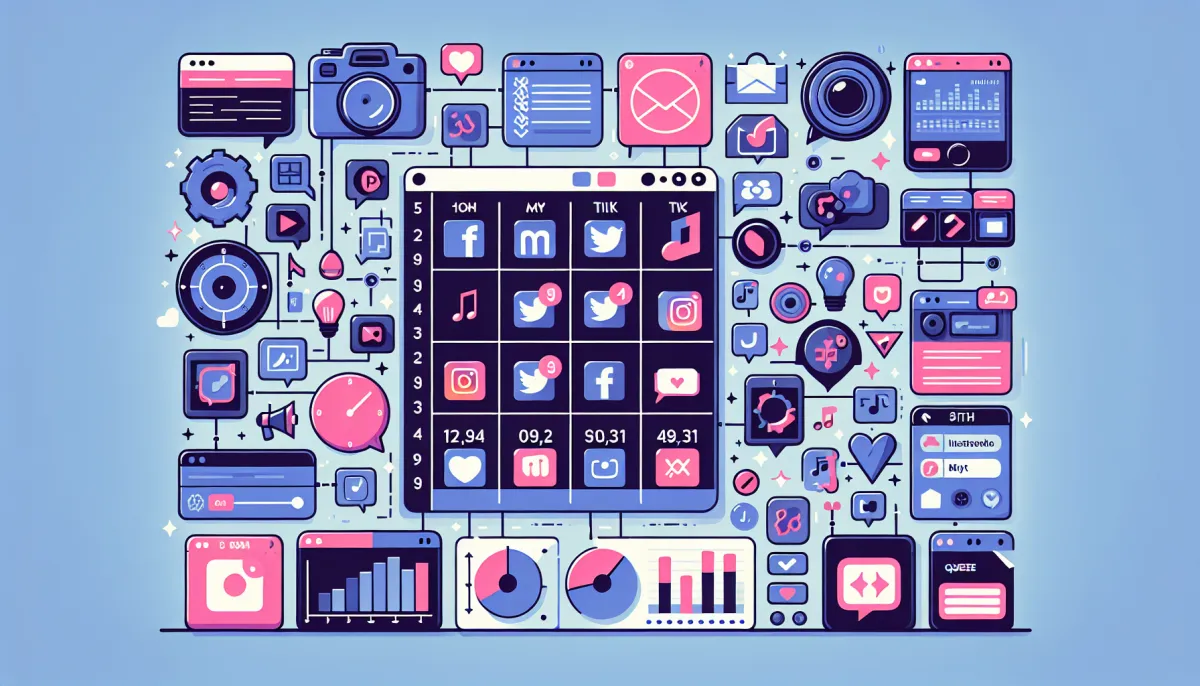
Later's free plan allows one connected social profile with 5 scheduled posts per month. That is limited, certainly, but the Linkin.bio feature (which transforms your Instagram feed into a clickable link page) is included for free and serves as a solid alternative to Linktree. According to Planable's data, creators who use a visual planner post an average of 3 times more consistently than those who post manually.
Influential American creators like Jenna Kutcher and Later's own case studies have demonstrated that a cohesive Instagram grid directly correlates with higher follow-through rates from profile visitors. Later makes that cohesion accessible to every creator, even those without formal design training.
Free plan features
- 1 social profile connected
- 5 posts/month scheduled
- Linkin.bio: clickable link page from your Instagram bio
- Visual feed preview: drag-and-drop grid organizer
- Hashtag suggestions powered by AI
- Media library with integrated Unsplash search
6. ChatGPT — The versatile AI assistant for the modern creator
From ideation to polished copy in seconds
ChatGPT has transformed the daily workflow of millions of content creators since its launch, and in 2026, the tool has become an indispensable assistant at every stage of the creative process. The free plan provides access to GPT-4o mini, which is powerful enough to generate Instagram captions, brainstorm content ideas, write video scripts, research relevant hashtags, and even analyze post performance.
For an English-speaking Instagram creator, ChatGPT excels in several areas: generating engaging captions in the right tone (casual, professional, humorous), adapting international trends for your specific audience, and creating thematic content calendars. You can prompt something like: "Generate 30 Reel ideas for a female fitness account targeting 25-35 year olds in the US" and receive a complete content calendar in seconds.
According to TechBullion, 67% of content creators now use an AI tool for text generation, and ChatGPT remains the number one choice. The tool is especially valuable for overcoming writer's block, a problem that affects 80% of regular creators at some point.
Concrete use cases for creators
- Instagram captions: engaging text with calls to action
- Hashtag research: thematic lists tailored to your niche
- Reels/TikTok scripts: structured with hook, body, and CTA
- Content calendar: 30-day thematic planning
- Performance analysis: interpretation of your statistics
- DM responses: professional reply templates for brand collaborations
7. Notion — The organizational headquarters for structured creators
Far more than just a note-taking app
Notion has established itself as the productivity tool of choice for content creators, and for good reason: its flexibility allows you to build a genuine command center for your entire creative operation. Editorial calendar, hashtag database, brand collaboration tracker, idea library, publishing SOPs — everything can be centralized in Notion.
The free plan is exceptionally generous: unlimited pages, unlimited blocks, sync across all your devices, and the ability to share with up to 10 guests. For a solo creator or a small team of two, this is more than sufficient. The Notion community has also built hundreds of free templates specifically designed for content creators, including pre-built editorial calendars, analytics tracking dashboards, and partnership contact databases.
American creators like Thomas Frank and Ali Abdaal have built entire YouTube channels partly around their Notion workflows, regularly sharing templates with their communities. The ability to create multiple views (calendar, Kanban board, list, gallery) makes the tool particularly well-suited for managing multi-platform content production.
Recommended editorial calendar template structure
- Calendar view: monthly visualization of all planned publications
- Kanban view: columns for Idea, Draft, In Production, Scheduled, Published
- Linked database: hashtags, past performance data, collaboration notes
- Properties: platform, content type, status, date, expected engagement
- Automatic formulas: posting frequency calculations, deadline reminders
8. Google Trends — The essential trend radar
Validate your ideas before you produce
Google Trends is criminally underused by most creators, yet it represents a gold mine for validating content ideas before investing time in production. In just a few clicks, you can check whether a topic is trending up or down, compare the popularity of multiple subjects against each other, and identify seasonal patterns that influence audience interest.
For an English-speaking Instagram creator, Google Trends lets you filter data by country (United States, United Kingdom, Australia, etc.) and time period, providing a precise picture of what your local audience cares about. For example, if you are debating between creating a Reel about "Korean skincare" versus "clean beauty," Google Trends will instantly show you which generates more interest in your target market right now.
According to Zapier, creators who systematically validate their content ideas through search data produce content that performs an average of 2.5 times better than those who rely solely on intuition. Google Trends is the simplest and fastest tool for building this discipline into your workflow.
How to use Google Trends effectively
- Compare topics: up to 5 search terms simultaneously
- Filter by geography: country, state, city for local targeting
- Identify seasonal peaks: anticipate recurring trends
- Discover related queries: find unique angles for your content
- Export data: CSV for deeper analysis
9. Remove.bg — Instant background removal
Professional product photos in one click
Remove.bg is a tool specialized in a single task — automatic background removal — and it does it exceptionally well. Powered by AI, the tool automatically detects the main subject of your photo and removes the background in seconds, with impressive accuracy even on hair and complex edges.
For Instagram creators who sell products (dropshipping, personal brand, handmade items), Remove.bg is an essential tool for creating professional product photos without a studio setup. You can photograph your product on your desk, remove the background with Remove.bg, then add a clean or custom backdrop in Canva — the result looks like it came from a professional e-commerce shoot.
The free plan offers exports at standard resolution (up to 0.25 megapixels). For social media use, this resolution is typically sufficient. For high-resolution photos intended for print or e-commerce listings, an upgrade will be necessary.
Creative use cases
- Product photos on clean white or branded colored backgrounds
- YouTube thumbnails with the creator cut out on an eye-catching background
- Instagram carousels with the creator placed on different thematic backgrounds
- Instagram Stories with custom stickers made from your own photos
- Creative composites for collaboration announcements and partnership reveals
10. InShot & DaVinci Resolve — The mobile/desktop video editing duo
InShot: professional editing in your pocket
InShot is the most popular mobile video editing app among Instagram and TikTok creators. Its intuitive interface lets you cut, assemble, add music, filters, and text in minutes. The free version is functional but displays a small watermark and occasional ads. For most short-form content creators, InShot is the go-to choice for quick edits directly from a smartphone.
DaVinci Resolve: the power of a $300 application, for free
DaVinci Resolve by Blackmagic Design is a unicorn in the software industry: a Hollywood-grade video editing suite that is entirely free for the vast majority of its features. Used in the post-production of major films and television series, DaVinci Resolve offers non-linear editing, world-class color grading, advanced visual effects (Fusion), and professional audio mixing (Fairlight).
For a YouTube creator or Instagram videographer producing long-form content, DaVinci Resolve is a free alternative to Adobe Premiere Pro ($22.99/month) or Final Cut Pro ($299). According to Postiz, video editing is the most in-demand creative skill in 2026, and DaVinci Resolve is the best free entry point for learning it.
When to use which
- InShot: Reels, TikToks, Stories — quick mobile edits
- DaVinci Resolve: YouTube videos, long tutorials, cinematic content
- CapCut: the middle ground, optimal for TikTok-first content
Complete comparison of all 10 free tools
| Tool | Category | Free Plan | Built-in AI | Platforms | Best For |
|---|---|---|---|---|---|
| Canva | Graphic Design | 250K templates, 5 GB storage | Yes (Magic Studio) | Web, mobile | Visuals, carousels, Stories |
| CapCut | Video Editing | Full access, no watermark | Yes (auto-captions) | Web, desktop, mobile | Reels, TikToks, Shorts |
| Buffer | Scheduling | 3 channels, 10 posts/channel | Yes (AI captions) | Web, mobile | Multi-platform scheduling |
| Meta Business Suite | IG/FB Management | Full and unlimited | No | Web, mobile | Instagram + Facebook |
| Later | Visual Planning | 1 profile, 5 posts/month | Yes (hashtags) | Web, mobile | Cohesive Instagram feed |
| ChatGPT | AI Writing | GPT-4o mini unlimited | Yes (native) | Web, mobile, API | Captions, ideas, scripts |
| Notion | Organization | Unlimited pages | No (paid add-on) | Web, desktop, mobile | Editorial calendar |
| Google Trends | Research | Full and unlimited | No | Web | Idea validation |
| Remove.bg | Photo Editing | Standard resolution | Yes (AI detection) | Web, API | Product photo cutouts |
| InShot / DaVinci | Video Editing | Functional (InShot watermark) | No | Mobile / Desktop | Short / long videos |
The ideal daily workflow: how to combine all 10 tools
Step 1: Ideation and research (15 minutes)
Start each creation day with a research session in Google Trends to identify trending topics in your niche. Note 3 to 5 promising ideas, then use ChatGPT to develop them: ask it to generate unique angles, attention-grabbing hooks, and content structures. Save everything in Notion in your ideas database.
Step 2: Production (30-60 minutes)
For static visuals (carousels, infographics, quotes), open Canva and choose a template suited to your format. For videos, film with your smartphone then edit in CapCut (short-form) or DaVinci Resolve (long-form). Use Remove.bg to cut out product photos as needed, then integrate them into your Canva designs.
Step 3: Writing and optimization (15 minutes)
Write your captions with ChatGPT's help, giving it context about your post and desired tone. Add your hashtags (researched via Later or ChatGPT), check optimal length for each platform, and prepare variations for each social network.
Step 4: Scheduling (10 minutes)
Schedule your posts in Buffer or Meta Business Suite at the optimal times identified by analytics. Use Later to visually verify your Instagram feed's consistency. Update your Notion calendar with each post's status.
Step 5: Analysis and adjustment (10 minutes at end of day)
Check analytics in Meta Business Suite to evaluate your recent posts' performance. Note key insights in Notion (which format performs best, which hashtags generate the most reach, etc.) and adjust your strategy accordingly.
Common mistakes to avoid with free tools
1. Spreading yourself across too many tools
The number one mistake beginner creators make is signing up for 15 different tools without mastering any of them. It is better to know 5 tools inside out than to use 15 tools superficially. Start with Canva + CapCut + Buffer, master them completely, then gradually add others to your stack.
2. Ignoring analytics
Creating content without analyzing performance is like sailing without a compass. Meta Business Suite and Buffer provide valuable data for free — use them systematically to understand what works and what does not.
3. Underestimating organization
Creativity without structure leads to burnout. Notion is not a luxury — it is a necessity for any creator who wants to maintain a consistent posting schedule without exhausting themselves. A well-structured editorial calendar frees you from the mental load of "what do I post today?"
4. Not investing in your growth
Free tools are powerful for content production, but audience growth sometimes needs a strategic boost. Explore our complementary free tools and our Instagram growth solutions to accelerate your development while maintaining authentic engagement.
Tool trends to watch in 2026
The creator tools market is evolving at breakneck speed. Several major trends are shaping the second half of 2026:
- Generative AI integrated everywhere: Canva, Buffer, Later — they all incorporate AI capabilities now. By the end of 2026, generating a complete visual from a simple text prompt will be standard practice.
- The rise of all-in-one platforms: tools like Canva are progressively absorbing scheduling and analytics features, reducing the need to juggle between multiple applications.
- Specialized AI assistants: beyond ChatGPT, AI tools specifically trained for social media are emerging, offering more targeted advice than generalist models.
- Cross-platform automation: the ability to create content once and automatically adapt it for 5 different platforms is becoming reality through AI-powered repurposing.
Conclusion: your free tool stack for dominating social media
In 2026, excuses no longer exist. The 10 tools covered in this guide offer, for free, a creative arsenal that would have cost thousands of dollars just five years ago. Canva replaces your graphic designer, CapCut replaces your video editor, ChatGPT replaces your copywriter, and Buffer replaces your community manager — at least for the foundational tasks.
The key is not to use all these tools simultaneously, but to progressively build your ideal stack based on your specific needs. A visual Instagram creator will lean toward Canva + Later + Remove.bg. A TikTok video creator will choose CapCut + ChatGPT + Buffer. A long-form YouTube creator will opt for DaVinci Resolve + Notion + Google Trends.
Whatever your profile, start by mastering two or three tools, create content consistently, analyze your results, and adjust. Consistency beats perfection every time. And to amplify your results, remember that production tools are only part of the equation — a smart growth strategy, combining quality content with targeted audience development, is what transforms a talented creator into a genuine digital brand.
Summary: the essential free creator stack for 2026
- Design: Canva (visuals) + Remove.bg (cutouts)
- Video: CapCut (short-form) + DaVinci Resolve (long-form) + InShot (mobile)
- Writing: ChatGPT (AI-powered copy)
- Scheduling: Buffer (multi-platform) + Later (visual feed) + Meta Business Suite (IG/FB)
- Organization: Notion (editorial calendar)
- Research: Google Trends (trend validation)
- Total investment: $0 — results: professional
Discover how our Instagram services can accelerate the strategies covered here.